LOADING_
Dandavat Wear — 3D Fitting Room
A browser-based 3D fitting room for a print clothing brand: pick a character, dress them in a tee, sweatshirt or tote, change fabric, print and ink colour — and see the print curve over the cloth. React Three Fiber + a Blender script that cuts garments straight from the body along the bones.
SPECIFICATIONS
- STATUSactive
- VISIBILITYpublic
- ROLEproduct
- ROLE3d pipeline
- ROLEfrontend developer
- ROLEdesigner
app3dreactblender
[ LAUNCH SYSTEM→ ]
LOG OUTPUT _
01: In Short
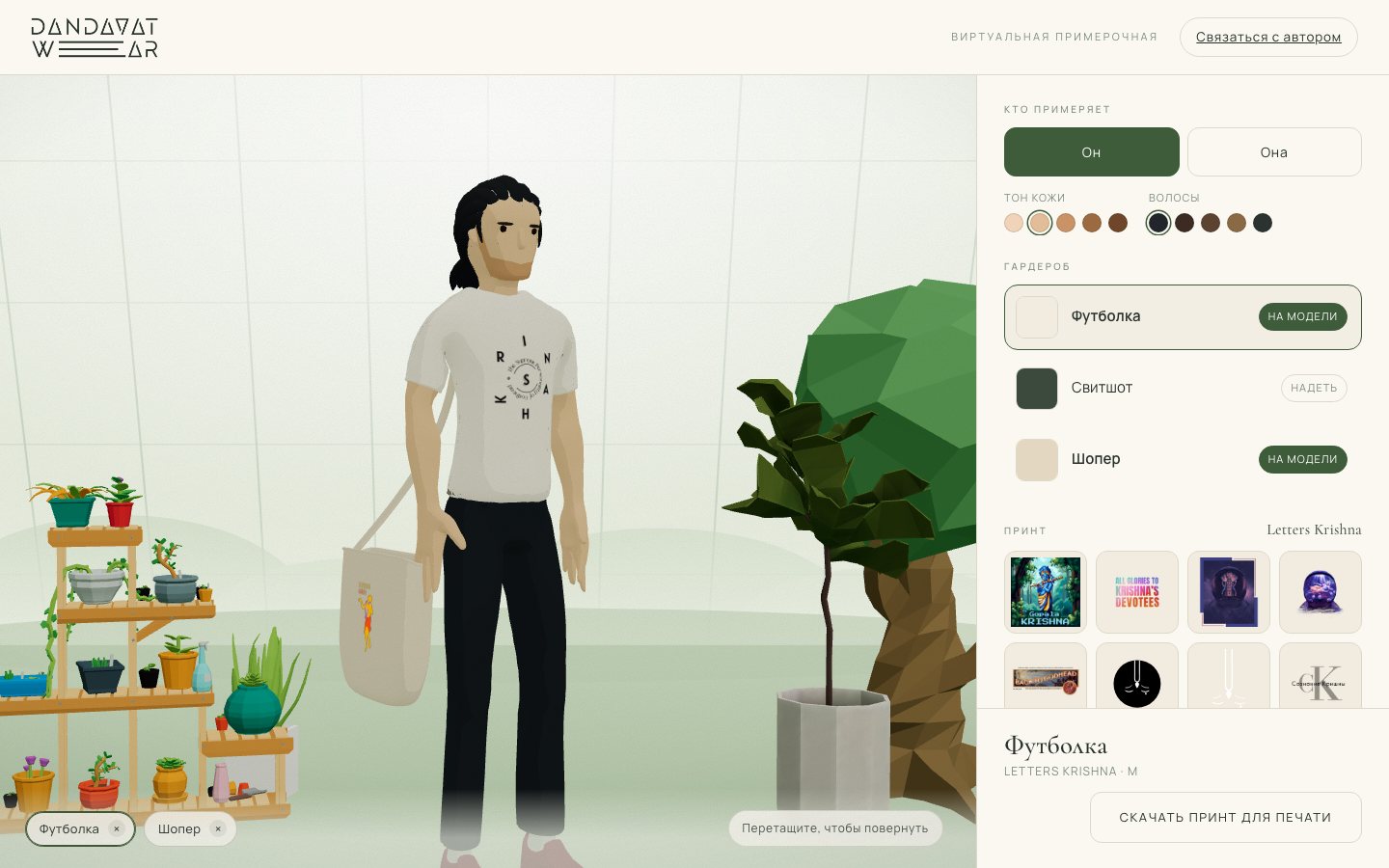
An interactive fitting room for a small clothing brand with original prints. The shopper picks a character, dresses them in a tee, sweatshirt or tote bag, changes fabric colour, print and ink colour — and immediately sees how the garment fits and how the print sits on the cloth: in 3D, with live animation and camera orbit. Runs in the browser, phones included, nothing to install.
[ SYS_IMAGE_LOAD ] The fitting room: character, wardrobe, print grid
02: The Brief
The brand has a catalogue of prints and a few base garments, each printed on any fabric colour. Photographing every combination is impossible: there are hundreds, and printing is on demand. The tool had to:
- assemble any "garment × colour × print × ink" set on the fly;
- show volume, not a flat picture — the print must curve over the chest and darken in folds;
- live on the brand's site, load fast and work on mobile;
- let the owner add new prints without touching code.
03: Character and Clothes — from Blender, but Not by Hand
The core difficulty of any dress-up is fit. Off-the-shelf garment models never match the body, and AI-generated models arrive as one baked mesh where the tee can't be removed or recoloured.
"Garments are cut straight out of the body along the bones. The pattern already carries skinning weights and animates with the figure — no weight transfer, no fitting."
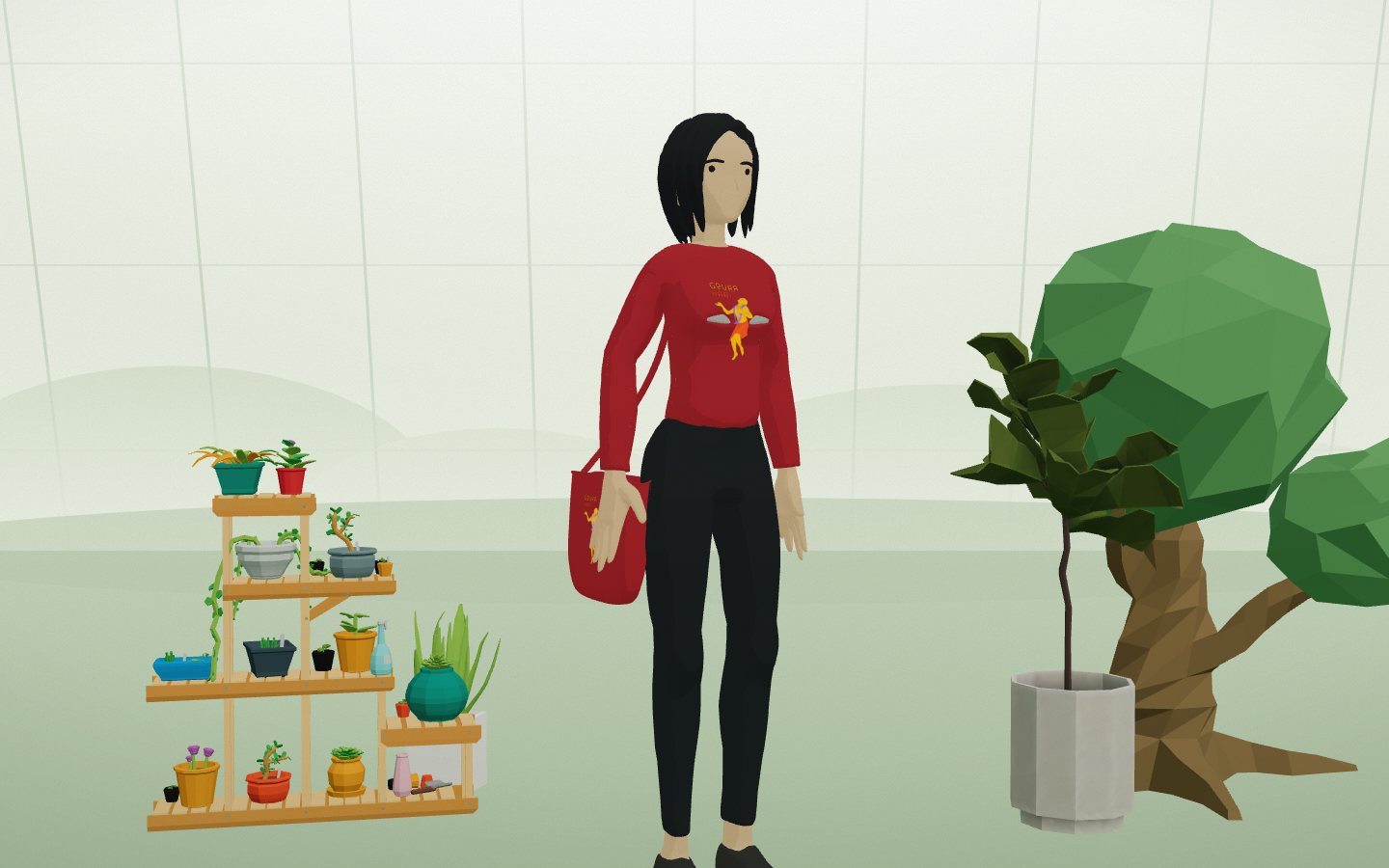
I wrote a Python script for Blender that cuts garments from the body mesh. Pattern boundaries are defined by anatomy — the positions of shoulder, hip and wrist bones — rather than a weight threshold, so the edge comes out clean. One script builds GLBs for the male and female figures with tee, sweatshirt, pocket, tote bag and strap.
# tools/blender/build.py — pattern boundaries come from the skeleton, not from weights
hips  = bone('Hips')  or Vector((0, 0, Z0))
neck  = bone('Neck')  or Vector((0, 0, Z1))
elbow = bone('LowerArm.L') or Vector((-HALF * 0.45, 0, 0))
wrist = bone('Wrist.L')    or Vector((-HALF * 0.85, 0, 0))

# torso width is measured from the shoulder bones: at chest level in the bind pose
# the spread arms sit there and vertex measurements lie
sh_l, sh_r = bone('Shoulder.L'), bone('Shoulder.R')
torso_half = abs(sh_l.x - sh_r.x) / 2 * 1.25
The tote is built as a real pattern rather than a box: open top with a folded hem, flat rounded sides, the rim sagging between the handles. The strap passes over the head of the UpperArm bone — the shoulder joint, not the collarbone — otherwise the strap emerges from the armpit.
Export was optimised along the way: the frame range limited to a single rest clip (export roughly 200× faster) and subdivision removed from garments — it added 85% of the vertices and doubled the file size while changing nothing visually.
[ SYS_IMAGE_LOAD ] Female figure: sweatshirt and tote, red fabric
04: Fabric and Print — a Procedural Texture
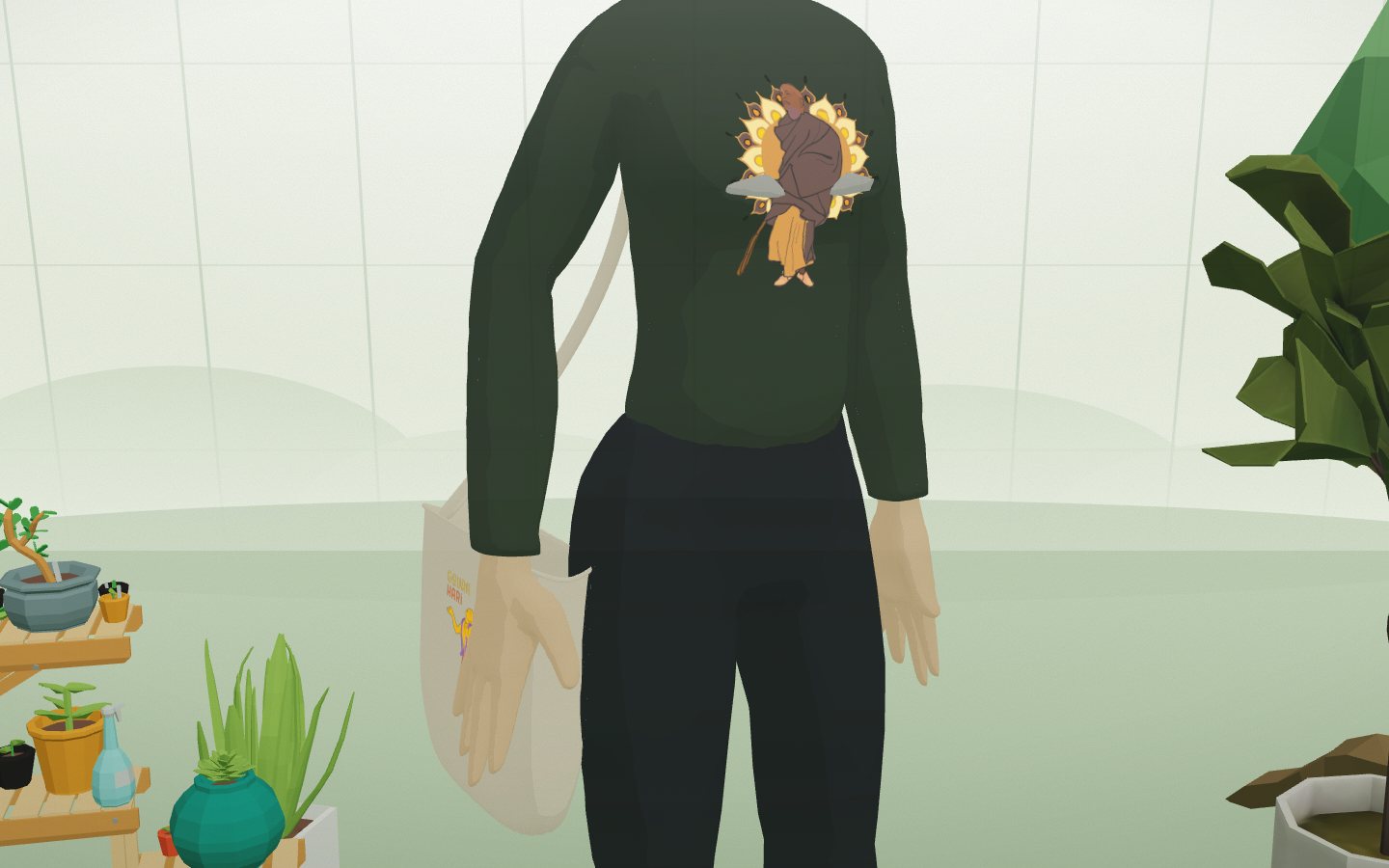
Garments in the model are a neutral light tone. At runtime a texture is drawn on a canvas: a fill in the chosen fabric colour, then the print fitted into a designated area of the UV layout (chest, bag panel) or repeated as a tile. The texture maps onto the mesh UVs. Folds and shading come from a toon shader, so the print "lies" on the cloth rather than looking like a sticker. Changing colour or print is instant, with no model reload.
export function makeFabricTexture({ fabric, item, layout, size = 1024 }) {
  const ctx = canvas.getContext('2d')
  ctx.fillStyle = fabric; ctx.fillRect(0, 0, size, size)      // fabric colour
  const tex = new THREE.CanvasTexture(canvas)

  loadImage(printSvg(item.print, item.ink)).then((img) => {
    if (print.kind === 'tile') {                                // repeat pattern
      const pat = ctx.createPattern(tileOf(img, print.size), 'repeat')
      ctx.fillStyle = pat; ctx.fillRect(0, 0, size, size)
    } else {                                                    // placement — into the UV area
      const { dx, dy, dw, dh } = fitContain(img, layout.u * size, (1 - layout.v) * size, layout.w * size, layout.h * size)
      ctx.drawImage(img, dx, dy, dw, dh)
    }
    tex.needsUpdate = true
  })
  return tex
}
[ SYS_IMAGE_LOAD ] Close-up: a raster print curving over the sweatshirt chest
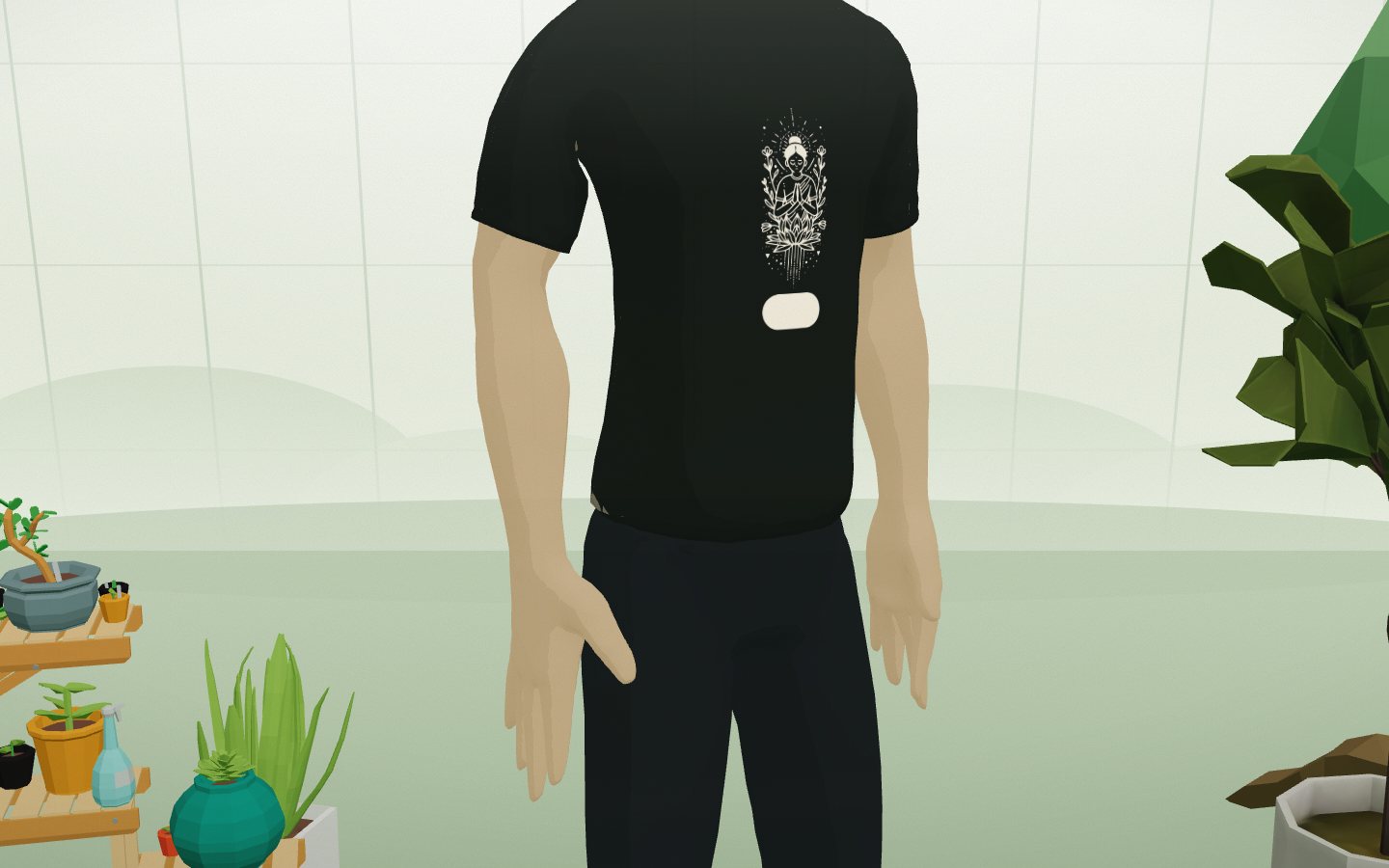
[ SYS_IMAGE_LOAD ] A vector print recoloured to cream on a dark tee
05: A Print Catalogue Without a Developer
Prints live in public/prints/. The file name defines behaviour: mandala.png is a single centred print, paisley.tile@90.png a repeat with a 90-unit tile. Russian titles sit in one JSON. npm run prints builds the catalogue, optimises rasters to WebP and generates the manifest. Built-in vector prints recolour to any ink colour; rasters keep their own colours.
06: Quality Control
Fit defects are invisible in the wide shot, so the app has a built-in QA mode: a link like /?qa=torso&who=girl&wear=hoodie,tote&print=…&fabric=… hides the UI and puts the camera in close-up on the required zone. A scenario is reproduced by URL, not by clicking — which made it quick to catch and fix things like blotchy shading on the chest or short sleeves.
// ?qa=torso|head|bag — close-up; who / wear / print / fabric / ink define the set
function scenario(base) {
  const q = new URLSearchParams(location.search)
  if (!q.has('qa')) return base
  const next = { ...base, items: { ...base.items } }
  if (q.get('who')) next.gender = q.get('who')
  const on = new Set((q.get('wear') || '').split(','))
  for (const k of Object.keys(next.items)) next.items[k] = { ...next.items[k], on: on.has(k) }
  return next
}
07: Mobile
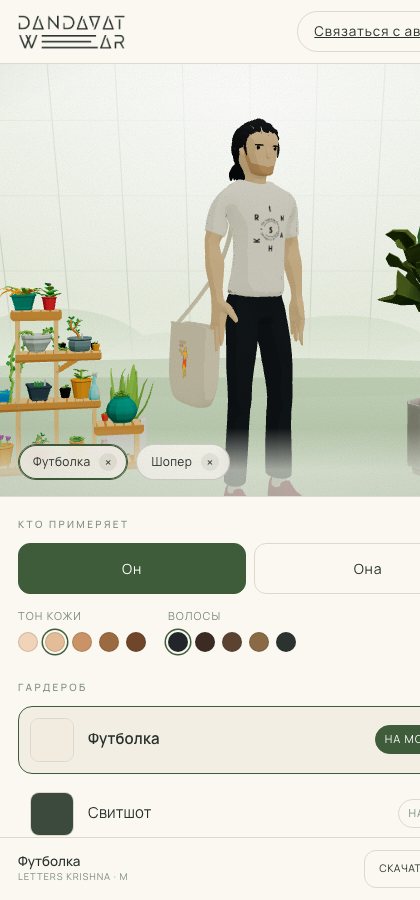
The selection panel was reworked for phones: a compact row of CTAs instead of a stack of buttons, redundant toggles removed so the print grid and set parameters fit on screen.
[ SYS_IMAGE_LOAD ] Mobile version of the fitting room
08: Stack
- React 19, React Three Fiber, drei, Three.js, Vite
- Canvas 2D for runtime texture generation
- Blender + bpy — model and garment build script
- Node scripts (sharp) for print processing, oxlint
09: Outcome
- Any combination of garment, fabric colour, print and ink colour — one click, in 3D, with camera orbit
- Two figures, three garments, 35 prints; a cap and a phone case are wired into state and await models
- The brand owner adds prints themselves — a file in a folder
- From the fitting room — a direct path to downloading the print for production and to contacting the author
Role: everything from brief to production — product logic, the Blender 3D pipeline, rendering and shading, UI, documentation and briefs for artists on character art and 3D generation.